
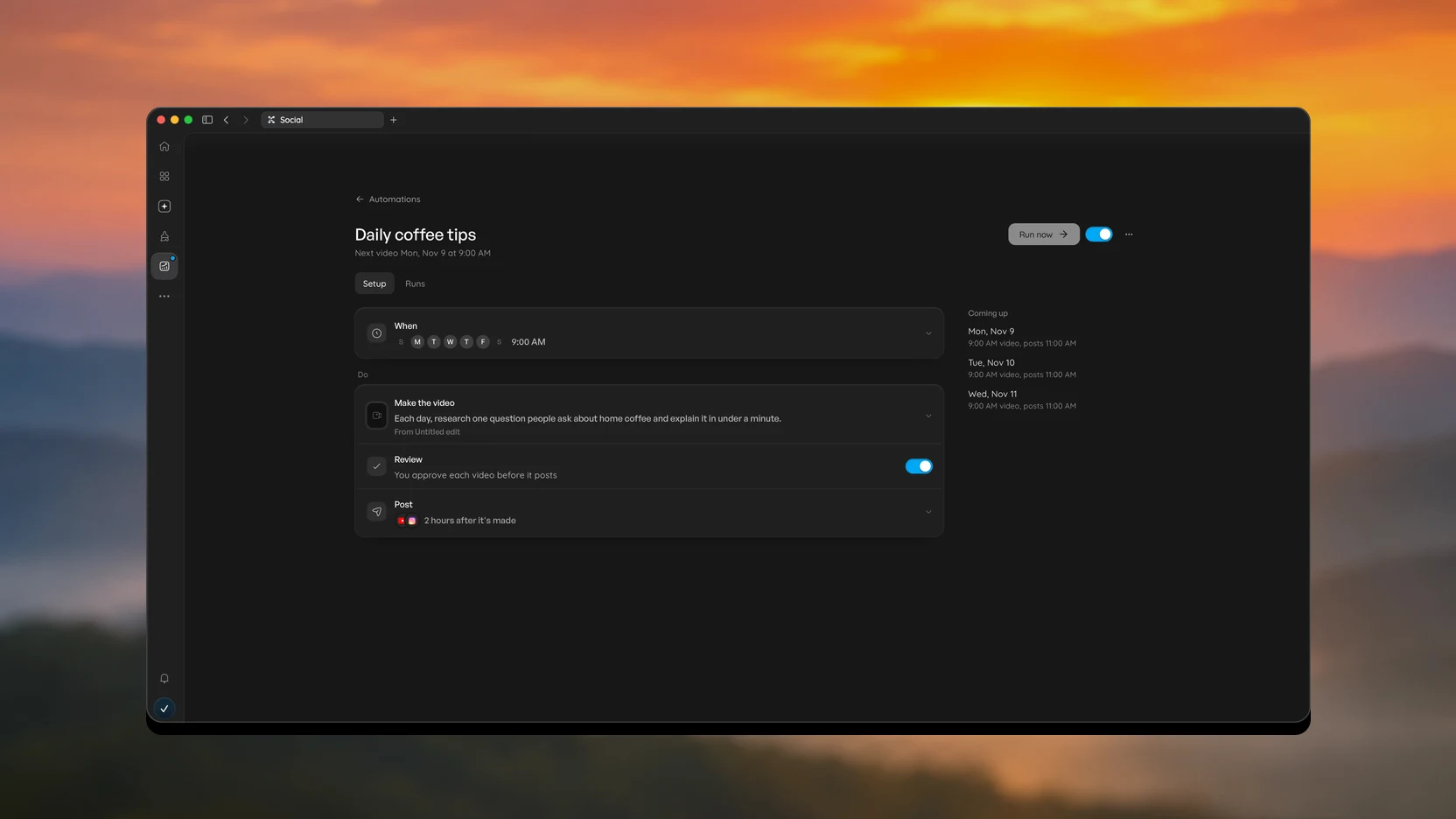
Social is now three tabs for making, planning and tracking your videos. Automations read as When and Do steps, and the Mac app has a native sidebar and update button.
Three tabs in Social
Automations shows what needs you, then every automation with its schedule and status. Calendar lays out your posts by month. Analytics compares your platforms and profiles, with your best times to post and your top posts.
Set up an automation in steps
Open an automation to get its own page, with one When row, then the steps it runs: Make the video, Review and Post. Each row shows what is set at a glance: the days, the idea, and the channels. Review is now a simple switch, and Coming up lists your next three videos and when they post. A step that still needs something opens by itself and tells you what is missing.
A native sidebar on Mac
The icon rail in the Mac app is now built into the app rather than the page. Its menus are real Mac menus, and it stays in place while pages load. Close the panel to keep just the rail, and use the top bar for your tabs.
Updates from the rail
The Update button sits at the bottom of the rail. Hover or click it to see whether you are up to date, download a new version, and restart. Read more opens the Changelog page.
An easier Changelog
The Changelog is now a dated timeline with key points and a picture of each change. Choose an entry to read all of it.