
Mini Apps
One-shot tools for quick jobs. Trim a clip, reframe it, or clean up a photo without opening the editor.
Sometimes you don't need a timeline. You need to cut thirty seconds off a clip, or
clean up a scanned document, and then get on with your day. That's what Mini apps
are for: single-purpose tools at /mini-apps, each one upload → adjust → download.
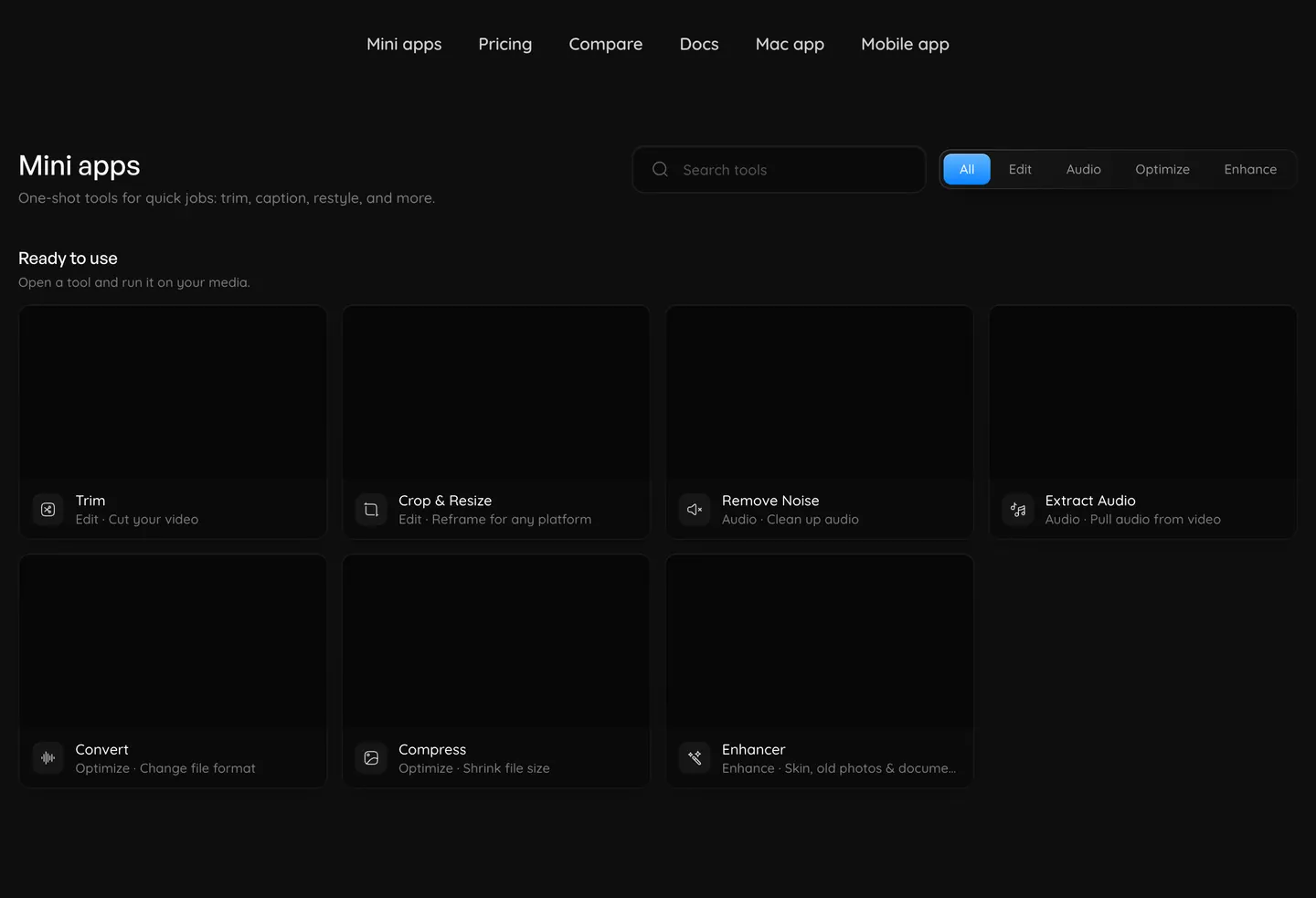
You can browse the catalog without an account. Sign in to open a tool and process a file.
Uploads show measured transfer progress. At 100%, wait for the file to finish registering before editing. Each tool keeps your original and creates a separate output. Preview support depends on your browser and the output format; download MKV files to view them in a compatible player.
Trim, crop/resize, and media exports run as background jobs. The browser retains the pending receipt in the same tab and resumes it after a refresh; the native app also retains pending export receipts. Closing the view does not erase a queued job. Download becomes available after the worker has saved the result. After recovering an export in Convert, Compress, Extract Audio, Remove Noise, or quick resize, use Choose another file to start again.
Finding a tool
The browser page has a search box and a category filter. Tools are grouped into four categories:
Edit
Trim, Crop & Resize, merge, split, subtitles, and more.
Audio
Extract Audio, Remove Noise, loudness, pitch, and soundtrack tools.
Optimize
Convert, Compress, batch resize, and media inspection.
Enhance
Enhancer, color adjustment, LUTs, stabilization, and deinterlacing.
What's ready
See Deterministic utilities for ordered multi-file jobs, subtitle imports, analysis review, and advanced media modes. All 50 utilities have their own entry in the web catalog. Search by name or task, or select a category.
See AI tools for 25 credit-priced workflows, including transcripts, captions, image editing, sound generation, short video generation and reviewed dubbing. The web catalog contains 82 tools. The native mobile catalog currently contains the original seven.
The original seven mini apps remain available alongside the expanded catalog:
| Tool | What it does |
|---|---|
| Trim | Set in and out points and export the trimmed file |
| Crop & Resize | Reframe video or resize video and images to a chosen size |
| Remove Noise | Reduce background noise in video or audio with a non-AI denoiser |
| Extract Audio | Extract a video's first audio track as MP3 or WAV |
| Convert | Convert supported video, audio, and image formats |
| Compress | Re-encode video or images at a chosen quality and compare the file sizes |
| Enhancer | Enhance skin, restore old photos, and clean up documents with AI |